- This topic has 2 replies, 2 voices, and was last updated 1 year, 1 month ago by
.
Viewing 3 posts - 1 through 3 (of 3 total)
Viewing 3 posts - 1 through 3 (of 3 total)
- You must be logged in to reply to this topic.
OpenSprinkler › Forums › OpenSprinkler Unified Firmware › Error configuring weather underground
Tagged: weather underground
wookie.
Hi –
Trying to switch from using Accuweather to WU now that I have a Personal Weather Station (PWS).
I have my station successfully uploading to WU, and created an account API.
I’m using zimmerman method for weather adjustment in OS.
I switched service to WU and entered API. Clicking Verify is successful.
I then went to the Location setting per instructions and clicked Location to view the map. I do not see any blue dots on the map.
I have the Lon/Lat of my location set in there, but when I save the settings, and go to System Diagnostics, I get an error.
I’m guessing this is related to not seeing the blue dots on the map – but I don’t know why.
I’m running firmware 2.2.0(1) on an OS3 latch.
Any thoughts?

I have exactly the same issue. Configured my Tempest Weatherflow in WU, then generated an API-key. Pasted the API-key into the Weather section in Opensprinkler and verified its working. However I cannot see or choose my station. The station is accesible via public link and is online in WU.
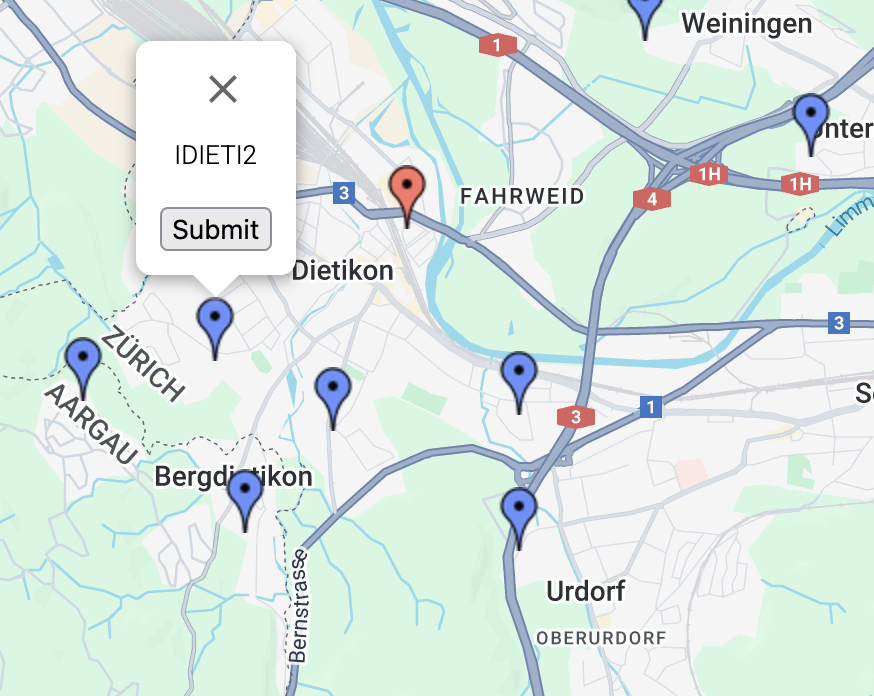
Weird though that I sometimes see the stations around with a blue dot (see image). Just try your luck, sometimes (I cannot reproduce it) you should maybe see the blue dots on your map. Try restarting, changing the weather service shortly.
Running Opensprinkler DC v 3.3 / Firmware 2.3.3
I have opened a ticket and let you also know here, so other users can profit from the information provided.
below is the answer from the support. I tried it and it works 🙂
If you can select any blue dot, submit the changes, then you can export the configurations to a file. Then open the file in a text editor, find the variable that is called “pws” and change its value to match your own PWS station ID. Then import the configurations. See if it works. The blue dots are really just meant to provide a visual way to select a pws station. We will modify the UI to provide a direct way to type in the pws ID name. But in the meantime, you can try the work-around above to see if it works.
OpenSprinkler › Forums › OpenSprinkler Unified Firmware › Error configuring weather underground