OpenSprinkler › Forums › OpenSprinkler Unified Firmware › Can’t get to UI after firmware update to 2.2.1(1)
- This topic has 4 replies, 3 voices, and was last updated 1 year, 3 months ago by
knochj.
-
AuthorPosts
-
April 16, 2025 at 4:16 pm #81912
cblack239ParticipantI have the OpenSprinkler 3 AC-powered and a single zone expander that I bought 5 years ago, and it has been working great until today.
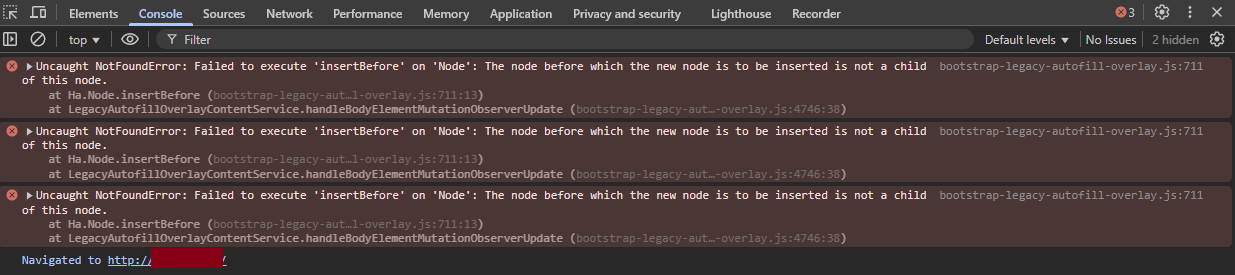
I just barely updated the firmware to 2.2.1(1) to prepare for the summer season (and made a backup of my configuration). After the update, I got the controller back onto my wifi and went into the web UI to restore my configuration, only now with the default password when I log in, it says “Loading” for a brief second, and then drops back at the login screen. There was a group of issues I saw in the console, but I don’t know if they’re related to OpenSprinkler (see screenshot) so I am at a loss as to what’s causing the issue. I tried in multiple browsers after deleting cookies and cache, and even poked around in the API to see if it was still responding in any way.
It looks like after the firmware update some of the settings (like station names) were preserved but others weren’t, and the JSON that is returned from /ja endpoint throws this error in the developer console (and I wonder if this is part of what may be causing the UI issue):
SyntaxError: JSON.parse: bad control character in string literal at line 1 column 1582 of the JSON dataThis is the raw output from /ja:
{"settings":{"devt":1744823482,"nbrd":1,"en":1,"sn1":0,"sn2":0,"rd":0,"rdst":0,"sunrise":362,"sunset":1167,"eip":2890298241,"lwc":1744822618,"lswc":1744822618,"lupt":1744822615,"lrbtc":7,"lrun":[0,0,0,0],"pq":0,"pt":0,"nq":0,"RSSI":-66,"otc":{},"otcs":0,"mac":"EC:FA:BC:62:23:2D","loc":"42.36,-71.06","jsp":"https://ui.opensprinkler.com/js","wsp":"weather.opensprinkler.com","wto":{},"ifkey":"","mqtt":{},"wtdata":{"wp":"Manual"},"wterr":0,"dname":"My OpenSprinkler","email":{},"curr":0,"sbits":[0,0],"ps":[[0,0,0,0],[0,0,0,0],[0,0,0,0],[0,0,0,0],[0,0,0,0],[0,0,0,0],[0,0,0,0],[0,0,0,0]],"gpio":[]},"programs":{"nprogs":0,"nboards":1,"mnp":40,"mnst":4,"pnsize":32,"pd":[]},"options":{"fwv":221,"tz":32,"ntp":1,"dhcp":1,"ip1":10,"ip2":1,"ip3":1,"ip4":151,"gw1":10,"gw2":1,"gw3":1,"gw4":1,"hp0":80,"hp1":0,"hwv":32,"ext":0,"sdt":0,"mas":0,"mton":0,"mtof":0,"wl":100,"den":1,"ipas":0,"devid":0,"dim":15,"uwt":0,"ntp1":0,"ntp2":0,"ntp3":0,"ntp4":0,"lg":1,"mas2":0,"mton2":0,"mtof2":0,"fwm":1,"fpr0":100,"fpr1":0,"re":0,"dns1":10,"dns2":1,"dns3":1,"dns4":1,"sar":0,"ife":0,"sn1t":0,"sn1o":1,"sn2t":0,"sn2o":1,"sn1on":0,"sn1of":0,"sn2on":0,"sn2of":0,"subn1":255,"subn2":255,"subn3":255,"subn4":0,"fwire":1,"ife2":0,"resv4":0,"resv5":0,"resv6":0,"resv7":0,"resv8":0,"wimod":42,"reset":0,"dexp":2,"mexp":8,"hwt":172,"ms":[0,120,120,0,120,120]},"status":{"sn":[0,0,0,0,0,0,0,0],"nstations":8},"stations":{"masop":[1],"masop2":[0],"ignore_rain":[0],"ignore_sn1":[0],"ignore_sn2":[0],"stn_dis":[0],"stn_spe":[0],"stn_grp":[0,0,0,0,0,0,0,0],"snames":["FY N Lawn","","",""," Strip (facing west)","","",""],"maxlen":32}}I haven’t found any previous posts with my exact issue, but I would love to be able to solve this and restore my original settings. Thanks!
Attachments:
April 16, 2025 at 4:39 pm #81914
RayKeymasterThis sometimes has to do with the configuration file containing non-English characters. It doesn’t happen to all non-English characters but I’ve seen other users have this problem. One thing you may notice is that your station name array looks like this:
“snames”:[“FY N Lawn”,””,””,””,” Strip (facing west)”,””,””,””]
that means some of the strings are not imported correctly. My suggestion is to perform a factory reset, so the station names get reset. Then before you load the old configurations, make sure you can access the web UI. next, you can open your configuration file, check particularly the station names and program names, see if there are any non-English characters and replace them with English characters. Then import and see if it work.April 16, 2025 at 4:52 pm #81915
cblack239ParticipantThe factory reset worked! I guess I assumed the firmware update would do it automatically but it’s good now. And yes, it looked like there was a weird Unicode character that looked like a space but was really something else. I updated it in the JSON before restoring the configuration. Thanks so much!
April 16, 2025 at 8:39 pm #81919
RayKeymasterThat’s good to know!
June 27, 2025 at 12:40 am #82832
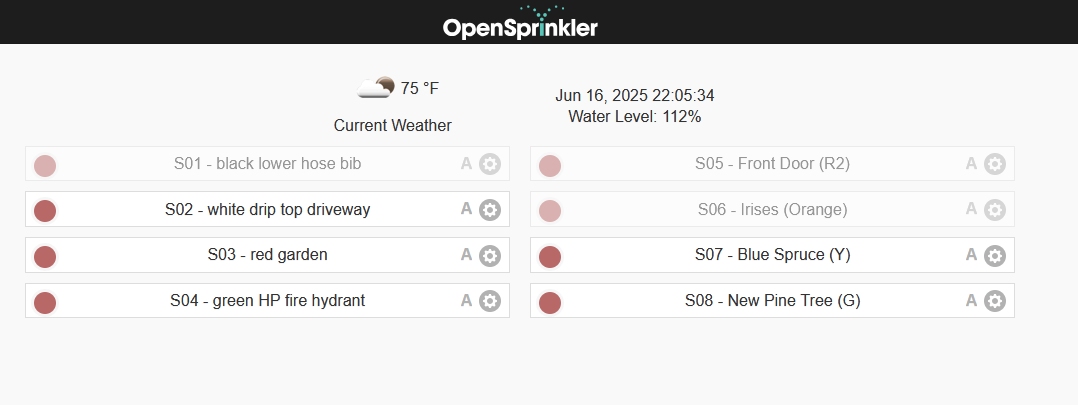
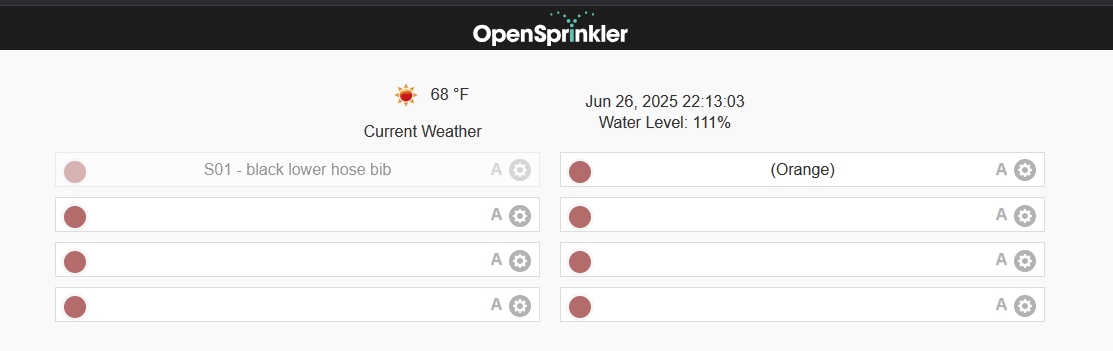
knochjParticipantTonight I also updated the firmware to 2.2.1(1) from 2.1.19 (iirc). I didn’t get a full factory reset, nor did I upload the old configuration, but I lost all my station names. Uploading the config file didn’t restore them, and I couldn’t change the names via the web interface.
Searching for something about station names brought me to this thread. I did the factory reset (press and hold B1 at power on, then … B3 to confirm). It took a second try to get it to reset. I verified that it got its IP address (ethernet module). Then I came back to my computer, uploaded the configuration, and now it seems like it’s good to go back to work tomorrow.
Edit: Is there a way to put the WiFi SSID/password in via the web interface, or do I have to disconnect the ethernet module?
-
AuthorPosts



- You must be logged in to reply to this topic.
OpenSprinkler › Forums › OpenSprinkler Unified Firmware › Can’t get to UI after firmware update to 2.2.1(1)