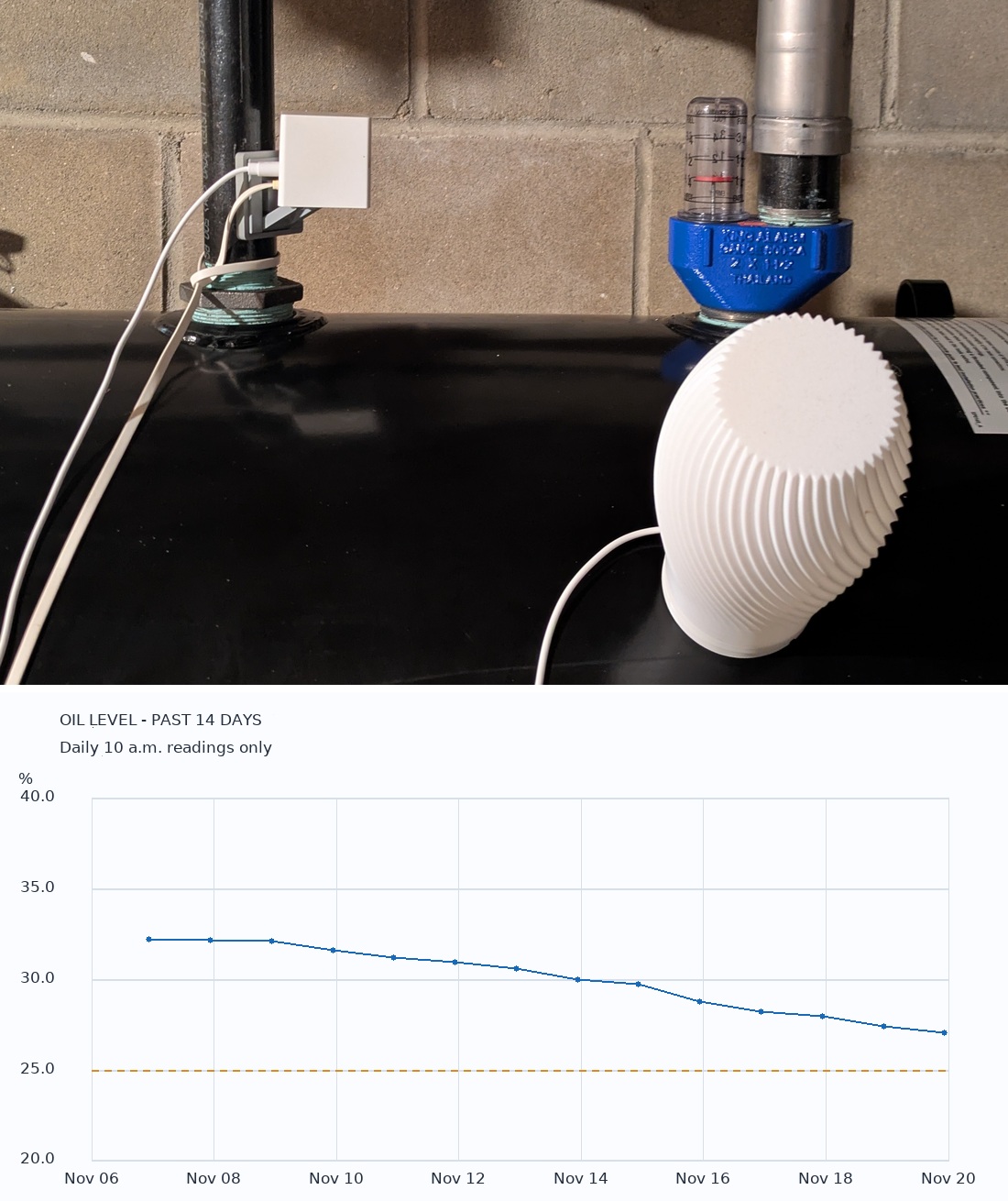
My house runs on heating oil. If you’re a homeowner facing high heating costs this winter, I’m right there with you! The oil companies I use don’t offer automatic delivery, so every winter I have to deal with the ordeal of checking my oil tank regularly, making sure it doesn’t run empty, and deciding when to refill.
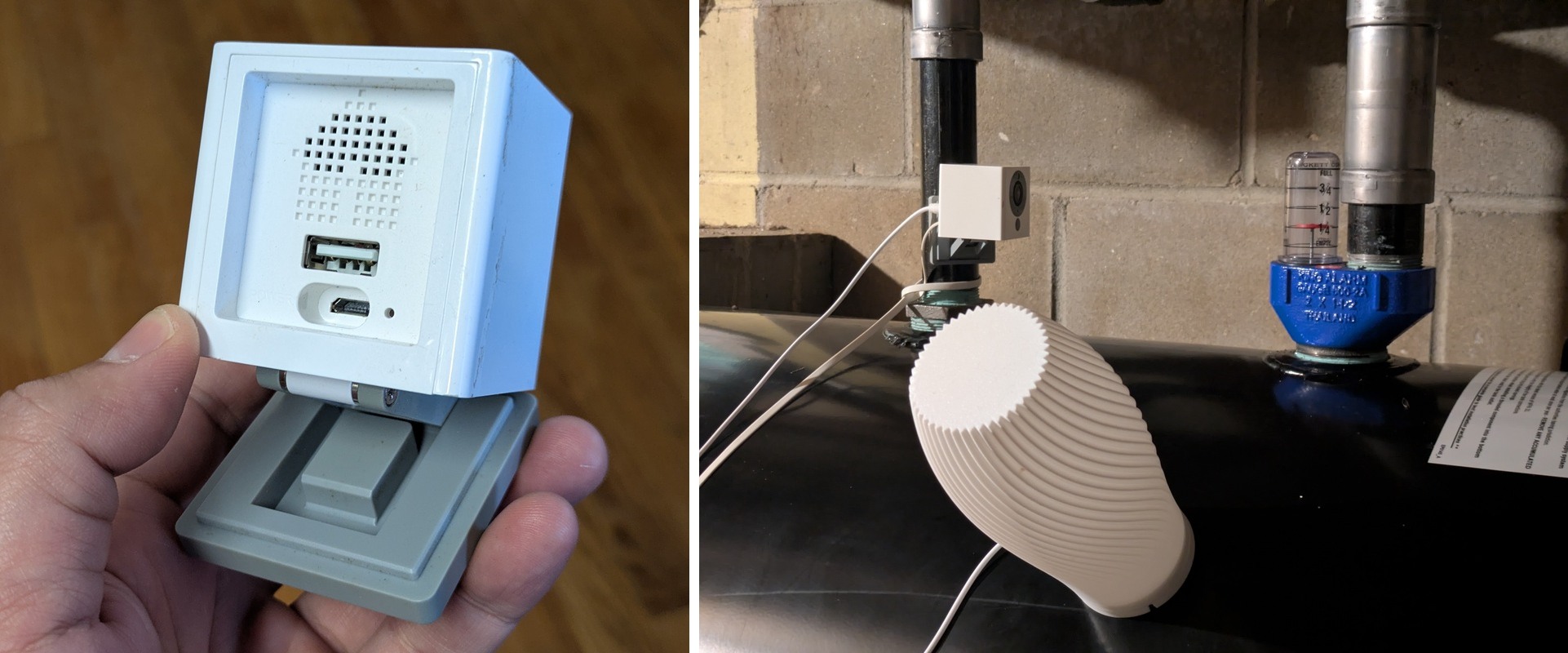
I have a Wyze Cam v2 mounted near the oil tank, which lets me check the gauge every once in a while without going down to the basement. It’s convenient, but tedious. Admittedly I’ve let the tank run dry more than once before, and that experience was very unpleasant.
I am tired of this ordeal and this winter I decided to automate it. My first thought was to capture a daily snapshot, then send it to an LLM to read the oil level, check prices from a few suppliers, and let it advise whether it’s a good time to refill. This is feasible but perhaps over-engineered.
Then I remembered reading this article by Tom Nardi on Hackaday about Thingino, open-source firmware that runs on many IP cameras (including my Wyze Cam) and lets you run your own scripts. An idea came to me: what if I simply run everything on the camera itself? Take a snapshot every day, use straightforward image processing to read the oil level, scrape supplier websites for current prices, and send me an email recommending when it’s a good time to refill. Because the scene is static and the lighting can be controlled, a simple image processing algorithm should be able to read the gauge reliably. And this is exactly what I did: a smart gauge monitor built entirely on the Wyze Cam.
To begin, I installed Thingino on the camera using its microSD installer. It’s pretty straightforward. Then I asked Codex to help me test the basic building blocks: taking a picture, sending an email, and getting current prices from suppliers’ websites. Thingino gives you a small Linux environment with SSH access, so I could just copy the program onto the camera. Codex wrote it in Go and cross-compiled it for the camera’s MIPS processor. A few shell scripts handle the picture taking, cron runs it on a schedule, and curl handles the web requests and email.
As the oil tank lives in the basement, which is normally dark, the camera needs decent and stable lighting to take a good picture. Initially I thought about installing a Wi-Fi power socket and having the script switch a lamp on and off. Then I discovered an easier option: the Wyze Cam’s built-in USB-A port can be switched on and off in software. I happened to have a USB-powered LED lamp, so I simply plugged it into the USB-A port. Now the script turns the lamp on, waits a few seconds, takes three pictures two seconds apart, and turns the lamp off. That solved the lighting problem elegantly. I had to experiment with the placement of the lamp a bit: putting it off to the side of the gauge, at some distance, gave the best result, since it kept the glare on the gauge cover away from the red disc.
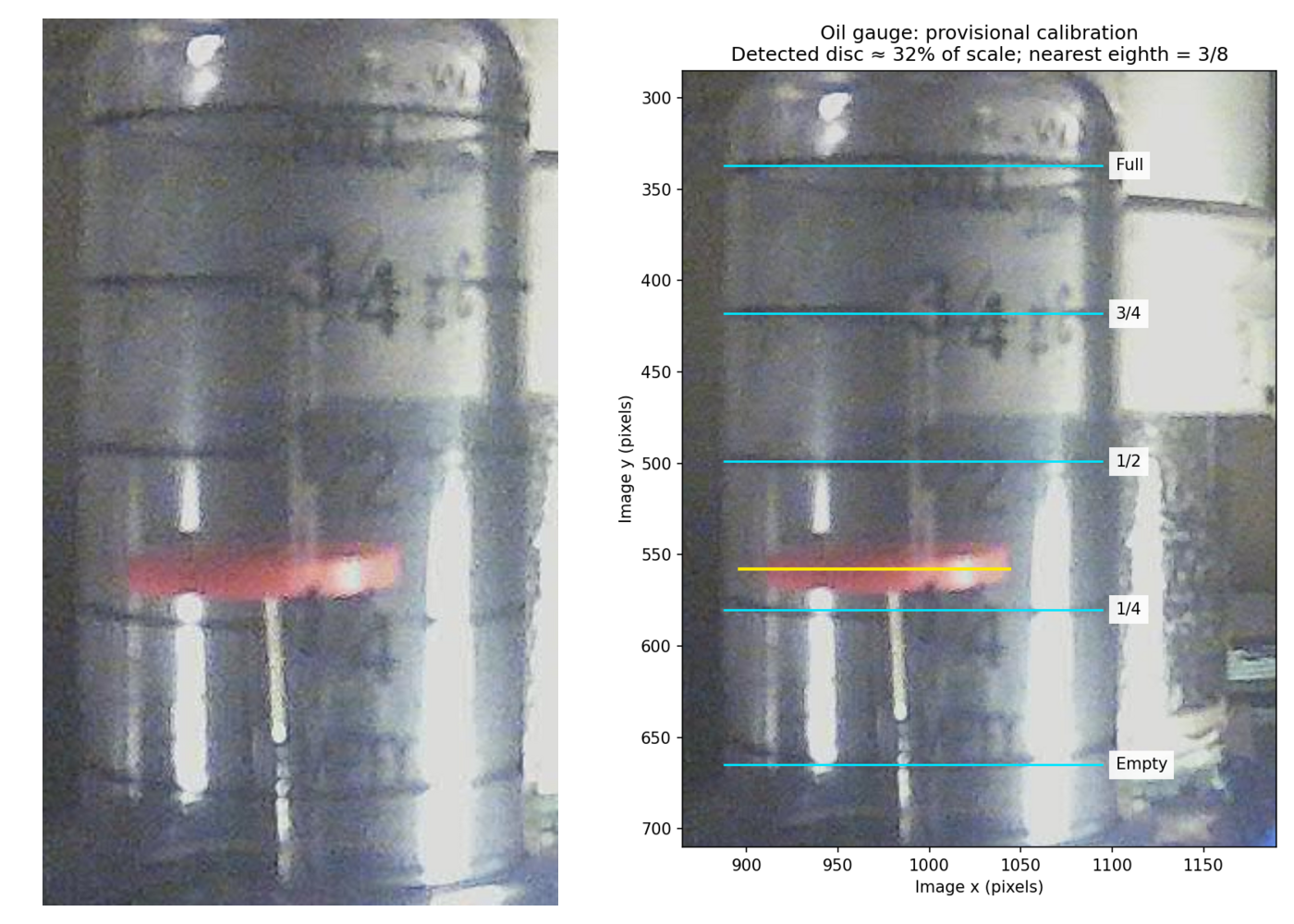
The gauge of the tank has a red disc, which stands out from the rest of the image, so finding its position is not hard. Specifically, the program crops the image around the gauge and looks for pixels where the red channel is much brighter than either green or blue. The disc produces a broad horizontal band of these pixels. Its vertical center gives the indicator position. I marked the full, 3/4, 1/2, 1/4, and empty lines once on a reference image, and the program simply interpolates between them. Because everything is static, this simple algorithm is sufficiently robust. If the program can’t find a clear red band, or the three pictures don’t agree, it reports the reading as unreadable rather than guessing.
The script also keeps a history of recent readings in order to calculate the daily consumption, which lets it predict how many days the remaining oil will last.
Once the script could reliably read the gauge, my next task was a heuristic that tells me when to refill. Here is my mental model:
- I have a standard 275-gallon tank.
- If the tank’s head room is less than 150 gallons, don’t refill, as I’d be paying a short-delivery surcharge.
- If the remaining oil can’t last more than a week at the recent daily consumption, recommend refilling immediately.
- Otherwise, base the recommendation on whether the price is likely to rise or drop in the next 7 days.
Algorithmically, the recommendations are:
- DO NOT BUY: not enough room in the tank for a 150-gallon delivery.
- BUY NOW: a week or less of oil left.
- BUY: there’s room for a delivery, I have more than a week of oil, and prices are trending up.
- WAIT: can wait a week and prices are either flat or falling.
- CHECK MANUALLY: insufficient readings to estimate consumption, or the gauge couldn’t be read.
The price prediction is not perfect: it’s based only on recent price history. The program follows the cheapest supplier’s prices over the last two weeks, estimates the trend, and projects it a week ahead. If the projected change is 10 cents per gallon or more, the price counts as rising or falling; anything smaller counts as flat. For example, in the past couple of weeks the heating oil price has been dropping, so unless my oil level is very low and can’t last a week, the recommendation is WAIT.
There is obviously no claim that this will find the market bottom, but at least it’s data-driven and helps me answer a narrow question: is there a reason to buy today, or can I check again tomorrow?
So now, every morning around 10 a.m., I get an email telling me the current tank level, daily consumption, recommended action, and current supplier prices, along with the captured image and a chart showing the oil level over the last 14 days. Below is the email I received on November 20. So far, I have to say I am very happy to have this ordeal automated, all by a cheap old camera!
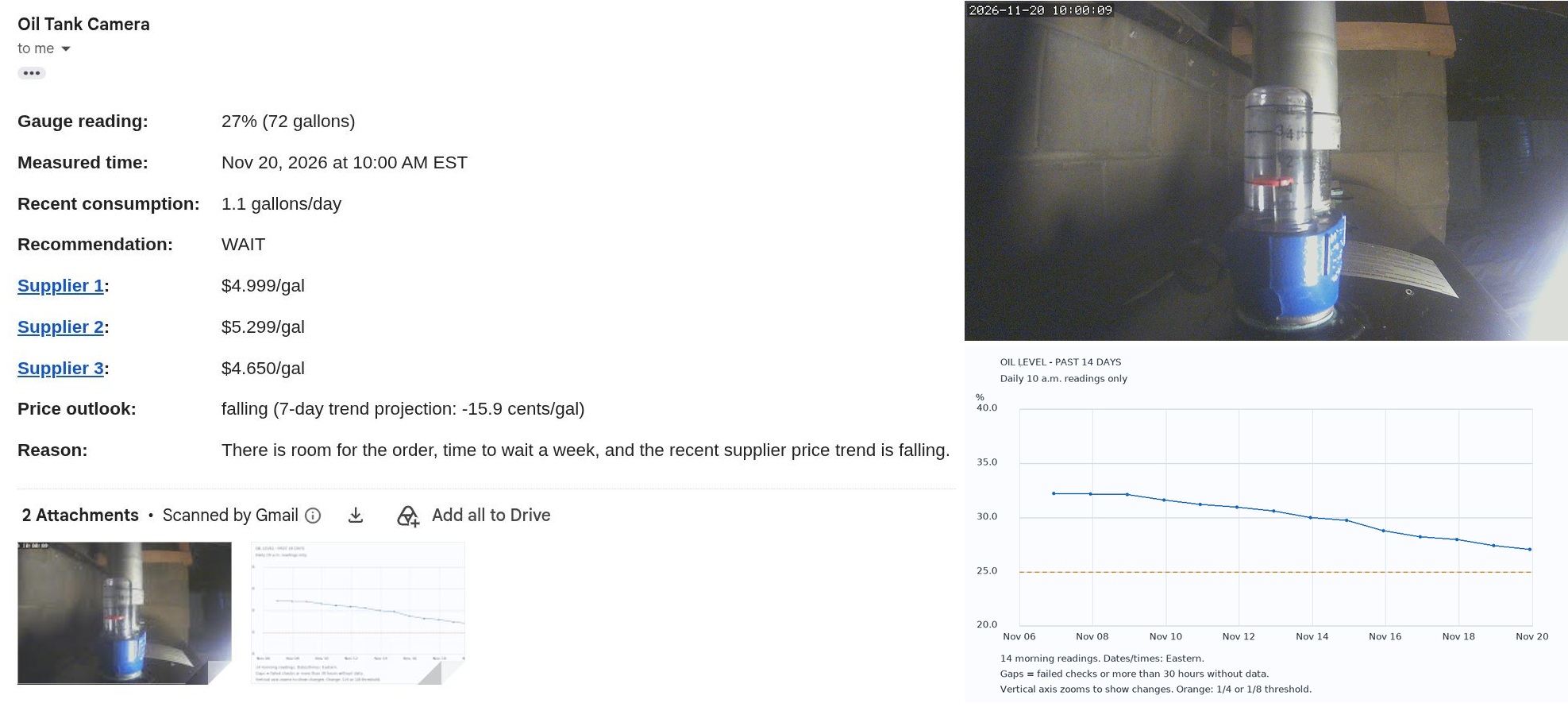
The camera snapshot and history chart are attached.
Note: I usually share the source code for all my projects. For this one though, Codex wrote all the code, and the part that reads the gauge depends heavily on the specific camera, the gauge, the lighting, and where the marks fall in the image. Therefore instead of sharing the code, I describe the approach I used and believe it’s sufficient for reproduction in the age of LLMs.