- This topic has 7 replies, 4 voices, and was last updated 7 years, 5 months ago by
.
Viewing 8 posts - 1 through 8 (of 8 total)
Viewing 8 posts - 1 through 8 (of 8 total)
- You must be logged in to reply to this topic.
OpenSprinkler › Forums › Hardware Questions › OpenSprinkler Pi (OSPi) › Not getting weather data – no icon
Samer.
Hi all,
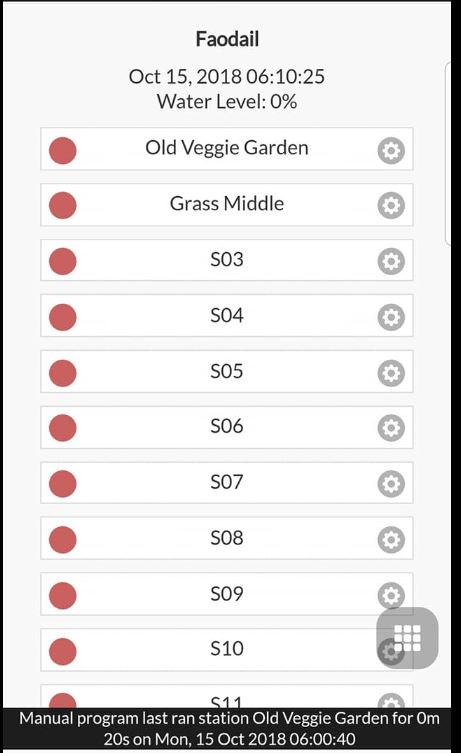
I’m not getting the weather icon on the app, using a raspberry pi 3+. Is there any curl type command that I can send from the raspberry to see if I do get the data? If I go to the status or diagnostics screen, the weather update was successfully send and received, but no weather icon. We had a lot of rain over the weekend and the water level is 0%. So if I understand this correctly, that means that the stations will not run today and sort of indicates that the weather data was received?
Any ideas please? See screen shot
Just to follow up on this, when I select the Location, I get an “error” from google, “This page can’t load Google Maps correctly, do you own this website? But it seems to select correctly, I don’t know if that is related to the missing weather icon

This happened a while back due to an Google API issue, but it should have been fixed by now.
Hi
I still do not get the weather ICON on the app, I know there was a ticket logged for this, ticket number 7463, how can I look at the ticket for updates? Anyone else getting no weather ICONs
Regards

Sorry for the delay in getting back to you but I have followed up on the ticket referenced here.
Thank you, Is there any way that I can see the ticket?

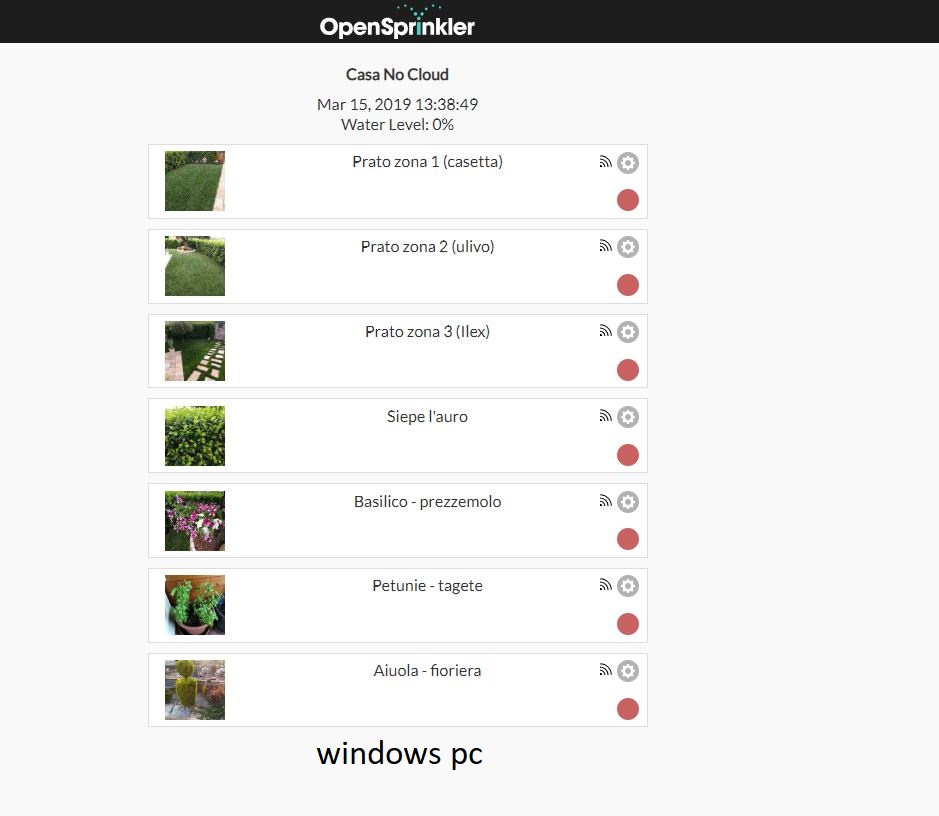
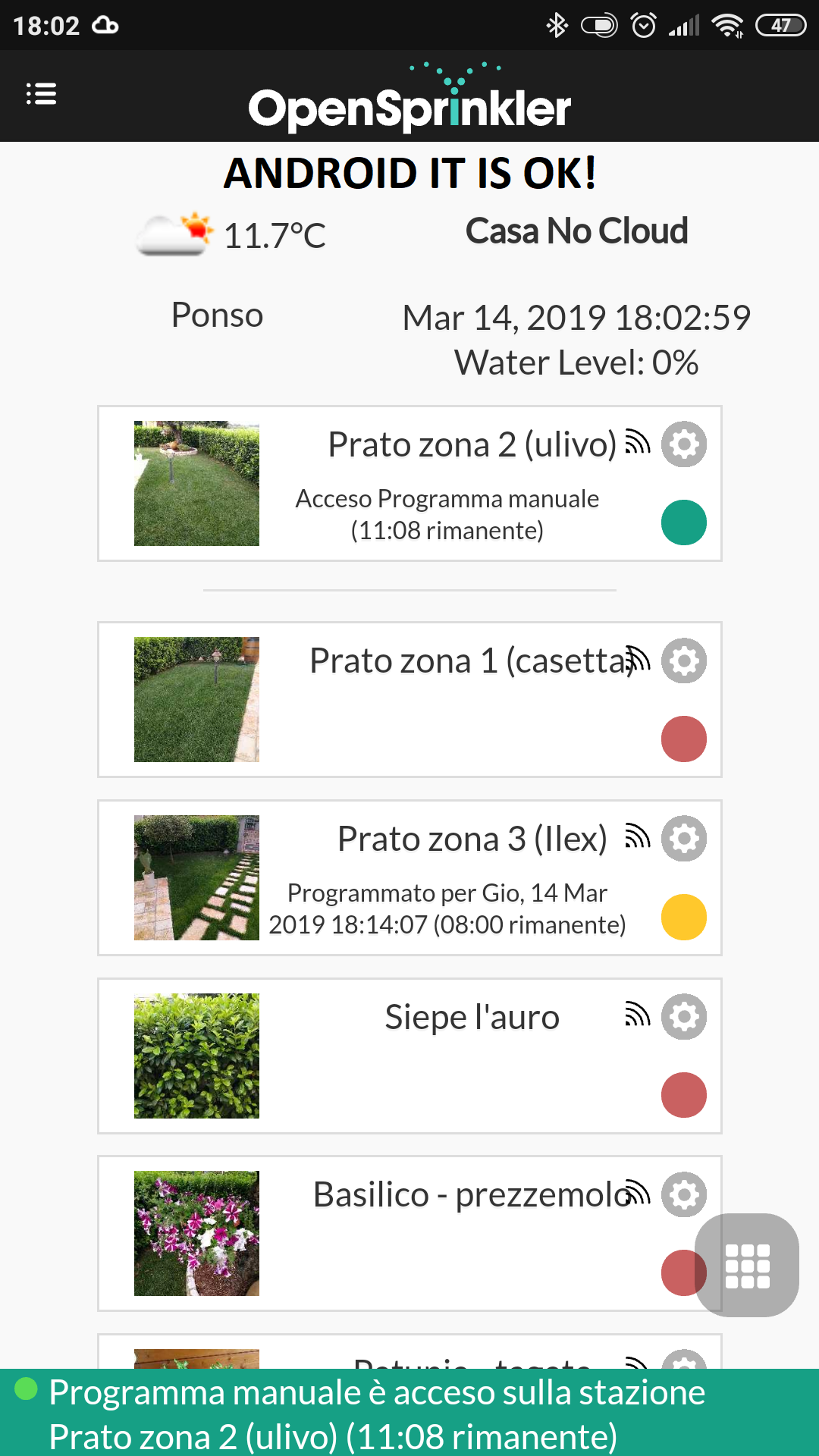
I’ve some problem see attachment:
On windows pc by different browser no icon is shown, instead by android it is ok.
why?
I have updated everything now to fix this issue however you might be using the Windows store app which I have not updated yet to fix the weather issue. You might need to just use the website for now but I will look into preparing an update for the Windows store ASAP.
Thanks!
OpenSprinkler › Forums › Hardware Questions › OpenSprinkler Pi (OSPi) › Not getting weather data – no icon