- This topic has 7 replies, 2 voices, and was last updated 11 years, 5 months ago by
.
Viewing 8 posts - 1 through 8 (of 8 total)

Viewing 8 posts - 1 through 8 (of 8 total)
- You must be logged in to reply to this topic.
OpenSprinkler › Forums › OpenSprinkler Unified Firmware › Not accurate weather data ?
Samer.
Hi,
I am an happy new user of OpenSprinkler.
I am not sure if the system is properly collecting weather data to use for Weather Control.
In fact clicking on Loca I always read “Water Level: 100%” even if today is a sunny day and yesterday rainy.
Wheater forecast is available and updated in the home page.
What sounds me wrong is that in “Weather Diagnostics” all data are missing (see attachment).
What should I check ?
As reference:
App Version: 1.4.2
Hardware Version: 2.3
Firmware: 2.1.4
Thanks.
Regards,
Emiliano.

Hi Emiliano,
If you go back into the “Edit Options” page, under location, you will see a small pin icon to the right of the input. If you push this, a map overlay will come up with nearby weather stations. Please try a nearby weather station until you find one with accurate/working data.
Thank you
Thanks for the prompt reply !
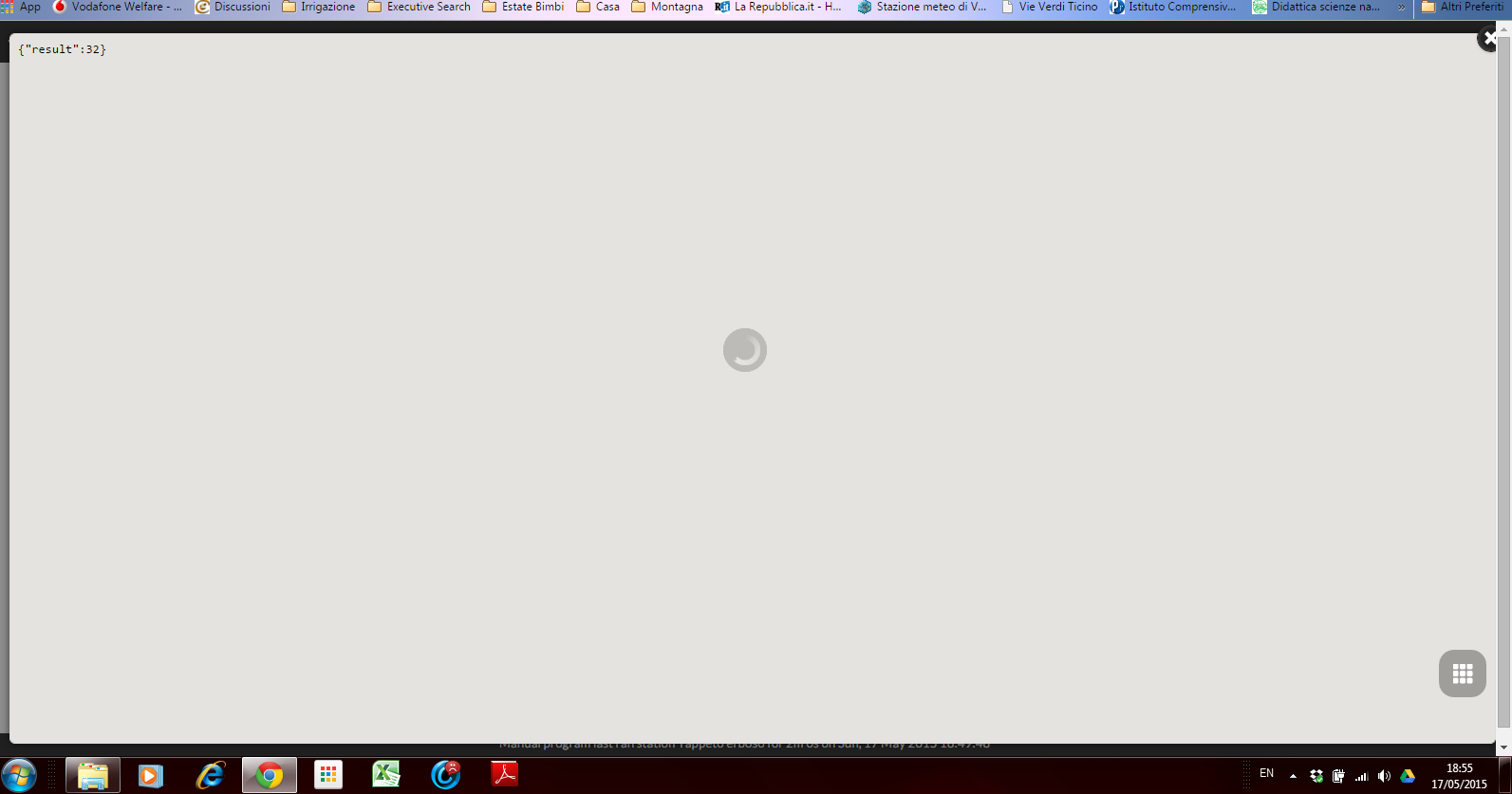
I’ve done it with following result:
overlay with infinite in-progress icon in the middle and {“result”:32} at top-left corner
What should I do ? 🙁
Fixed the problem inserting directly the code of a WU PWS very close to my home: pws:ILOMBARD218
Now data are coming and Water Level: 17 % !
Thanks !
Maybe now it’s too less water 🙂
Glad it ended up working but I am very curious how the {“result”: 32} showed up in the app. This really should never happen. You don’t happen to have a screenshot or a way to replicate it do you?
Thanks!
Easily replicated inserting again city name (Vigevano) and clicking on the icon
Forgot: doing it with Chrome 42.0.2311.152 m on Windows 7 SP1
Hi, thank you for letting me know about this. I have identified the issue and will be pushing the fix soon.
Thanks!
OpenSprinkler › Forums › OpenSprinkler Unified Firmware › Not accurate weather data ?